Coding literacy is increasingly viewed as a foundational skill alongside reading and maths – not because every child will become a software developer, but because understanding computational thinking, logical sequencing, and how software works provides a valuable framework for navigating a world where software shapes nearly every industry. The best coding apps for kids in 2026 teach these concepts through game mechanics, storytelling, and creative projects that children choose to engage with independently rather than as a required curriculum activity.
Scratch – Best Free Creative Coding Platform
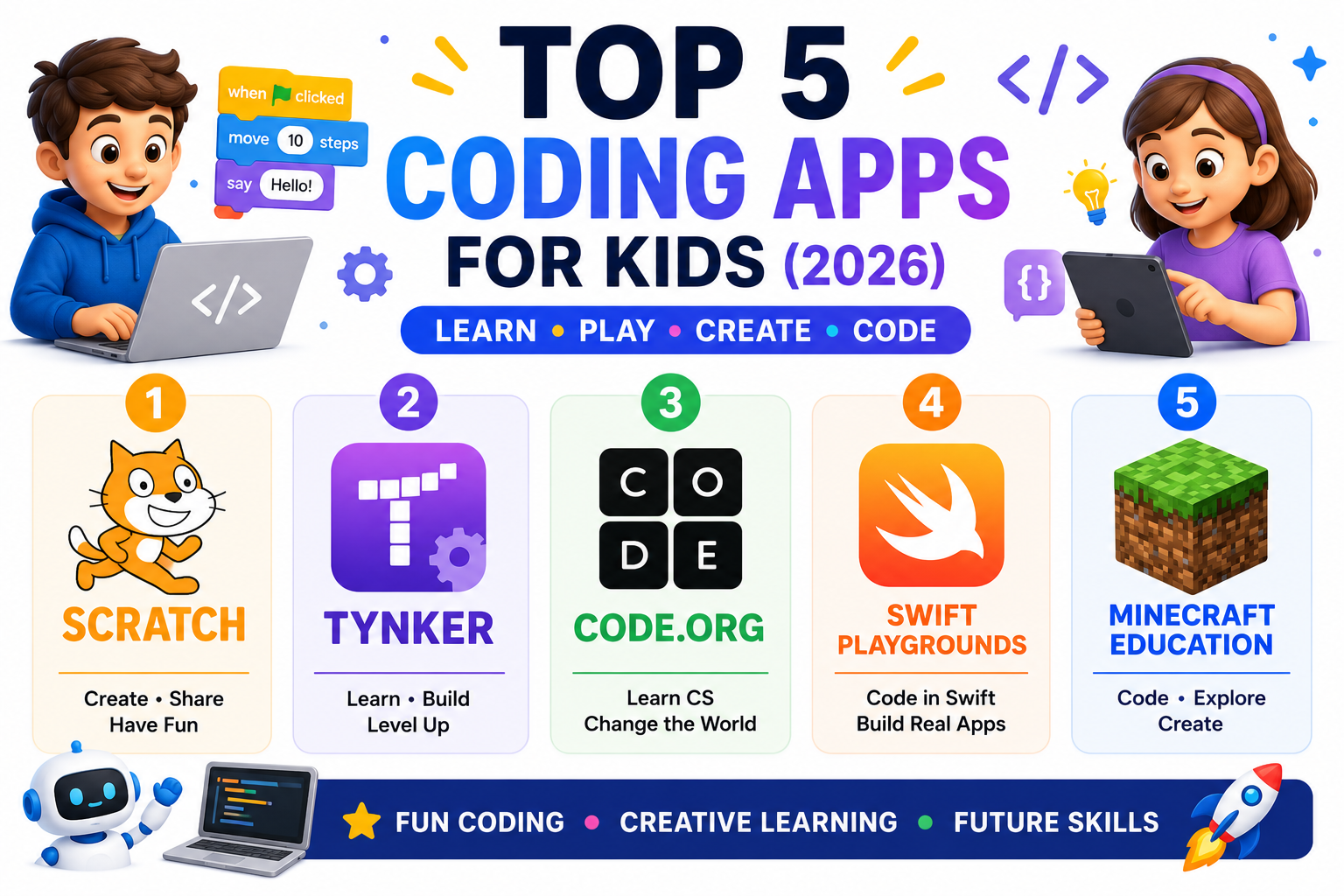
Scratch, developed by MIT’s Lifelong Kindergarten Group, is the most widely used coding platform for children globally in 2026. The visual block-based programming language allows children aged eight and up to create interactive stories, games, and animations by snapping programming blocks together – writing logical sequences without needing to understand text-based syntax.
The online community dimension makes Scratch unique among coding apps. Children can share their projects publicly, view and remix other creators’ projects, and receive feedback from a global community of young coders. Seeing the same Scratch blocks used to create genuinely impressive games and interactive stories by other children is a powerful motivator that proprietary apps with closed communities cannot replicate.


Tynker – Best Structured Coding Curriculum for Kids
Tynker provides the most comprehensive structured coding curriculum available for children aged five to eighteen across a single platform. The progression from visual block coding in early levels through JavaScript and Python introduction in advanced levels is carefully scaffolded, ensuring each new concept builds on previously established understanding rather than presenting complexity that has not been contextualised.
The game-based learning approach keeps children engaged through narrative contexts – creating Minecraft mods, building games, animating stories – that give purpose to the coding skills being taught. The parent dashboard provides detailed progress tracking showing exactly which concepts have been introduced, practised, and mastered, which allows parents to support continued learning at home even without a programming background.
Code.org – Best Free Introduction to Computer Science
Code.org is a non-profit organisation dedicated to expanding access to computer science education globally, and their free courses represent the best publicly available coding curriculum for children in 2026. The Hour of Code activities – designed to introduce computer science concepts in a single hour – have been used by hundreds of millions of children worldwide as a first programming experience.
Beyond the introductory activities, Code.org offers complete courses for every age group from pre-readers through secondary school, covering foundational computing concepts, block coding, Python, JavaScript, and App Lab for creating real mobile applications. The curriculum is aligned with educational standards in multiple countries and used by teachers worldwide, which means children who engage with it at home are reinforcing concepts introduced or to be introduced in their classroom.
Swift Playgrounds – Best Introduction to Real iOS Development
Swift Playgrounds is Apple’s official coding learning app designed specifically for iPad and Mac, teaching the Swift programming language – the same language used by professional iOS and macOS developers – through interactive puzzle-based learning. Unlike block-based coding tools, Swift Playgrounds uses real text-based Swift code from the beginning, which prepares children for genuine programming rather than being a stepping stone to it.
The 2026 version includes an expanded collection of learning paths including App Development with Swift, which teaches children how to design and build complete iOS applications that can be submitted to the App Store. For older children aged twelve and up who want to build real apps rather than simulated games, Swift Playgrounds provides the most direct path available.
Minecraft Education – Best Immersive Coding Environment
Minecraft Education extends the familiar Minecraft sandbox environment with curriculum-aligned lessons in computer science, mathematics, history, and sciences delivered through the game world. The coding components – using MakeCode, Python, or Scratch blocks to program agent characters within Minecraft – provide a uniquely immersive context for learning programming concepts that proprietary coding apps cannot replicate.
The engagement advantage of Minecraft Education over dedicated coding apps is substantial for children who already love Minecraft – learning to code within a world they already deeply understand removes much of the unfamiliarity barrier that makes programming feel intimidating as a new subject. Schools using Minecraft Education in 2026 report consistently higher coding engagement from children who are reluctant learners in traditional coding tools.
Choosing the Right Coding App for Your Child’s Age and Interest
Ages five to seven: Scratch Jr for creative block coding, Code.org early learner courses for structured introduction. Ages eight to twelve: Scratch for creative projects, Tynker for structured curriculum, Minecraft Education for immersive learning. Ages twelve to sixteen and above with real app ambitions: Swift Playgrounds for iOS development, Code.org’s App Lab for cross-platform web apps. All five apps offer free starting points that allow evaluation before committing to any paid subscription